This guide helps you identify and resolve charging issues with your Arrow Smart Battery Pack.
Prerequisites
- Arrow Smart Battery Pack and Arrow device
- Eos-supplied charger and power supply (9–16V DC, 1.5A min)
Step-by-Step Instructions
-
Step 1: Check the Charger and Power Supply
- Ensure you're using the official Eos charger and not a third-party adapter.
- Verify power supply is between 9–16V DC and provides at least 1.5 Amps.
-
Step 2: Inspect Battery Connections
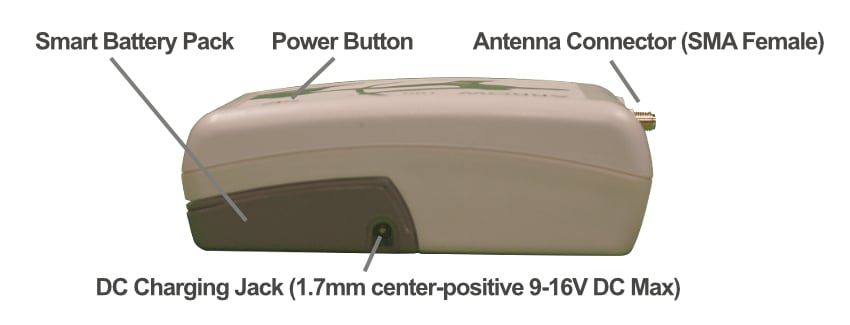
- Check the DC power jack (1.7mm positive center pin) for dirt or damage.
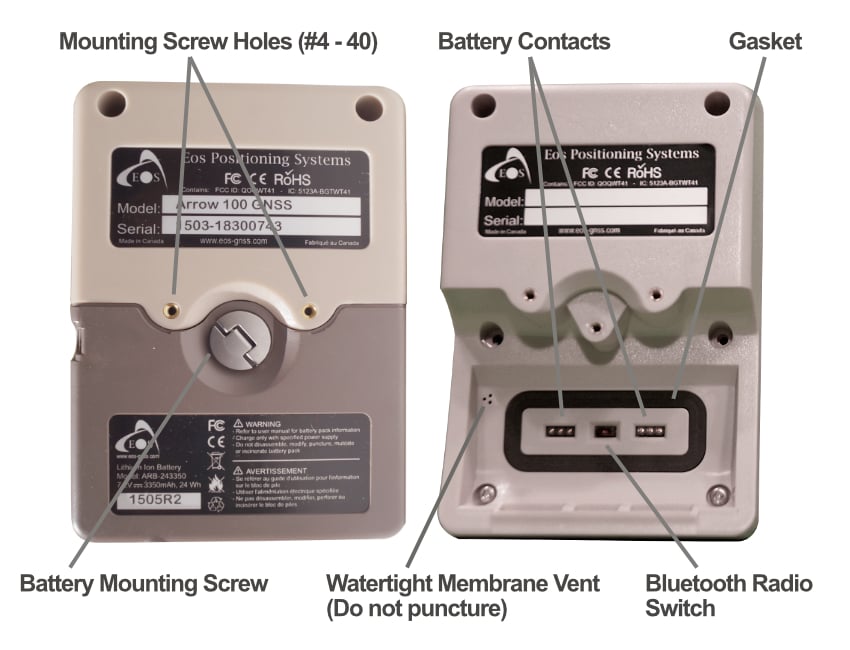
- Ensure the battery contacts are not short-circuited or damaged.
-
Step 3: Observe Charge Indicators
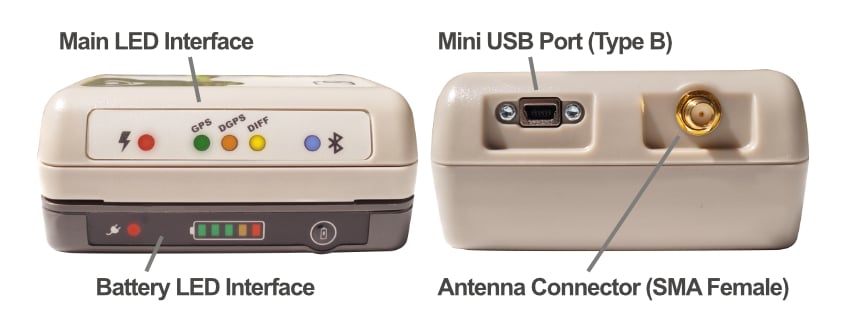
- If the fuel gauge LED blinks red continuously, allow at least 30 minutes of charging.
- LED will turn green once the battery is fully charged.
- Do not confuse the red Power LED (which indicates the device is on) with the charge status LED.
- The Power LED will blink when the Arrow is about to shut down from low battery (approx. 15–20 minutes warning).
- The charge LED, located on the battery itself, switches from red to green when charging is complete.
-
Step 4: Reset the Internal Fuse (if disabled)
- Disconnect and reconnect the charger to reset the internal fuse if the fuel gauge is not working.
- If the above does not work, plug the charger without plugging it into an outlet. After 15 minutes, disconnect and reconnect, and try to charge again.

Troubleshooting Tips
-
Understand the LED Indicators
- The red Power LED (separate from the charge LED) will turn on when the Arrow is powered on.
- If the battery voltage gets too low, this Power LED will begin blinking about 15–20 minutes before automatic shutdown.
- If the charge LED stays red or won’t turn on, unplug the charger, wait 1–2 minutes, and reconnect it.
- If the battery was deeply discharged, the LED may remain off for the first 30 minutes—this is normal.
- Do not attempt charging in extreme temperatures.
Additional Notes and Best Practices
-
Keep Battery Cool During Use and Charging
- If the battery becomes hot during use or charging, move it to a cooler shaded area, such as inside a vehicle or indoors away from direct sunlight.
- Do not charge the battery if its temperature is below 41°F/5°C or above 95°F/35°C. Wait for it to return to room temperature.
- Do not use external Li-Ion chargers.
- Charge the battery at room temperature only.
FAQs
-
Q: Why does the fuel gauge not show anything?
A: It may be short-circuited. Reset by reconnecting the charger to the DC jack. -
Q: Why is the LED blinking red?
A: Battery is critically low. Allow it to charge for at least 30 minutes.